Import from Recipe Website
Import a recipe from any blog or website.
Paste a link from a recipe blog or food website — Rasora reads the actual recipe from the page, skipping the life story above it.
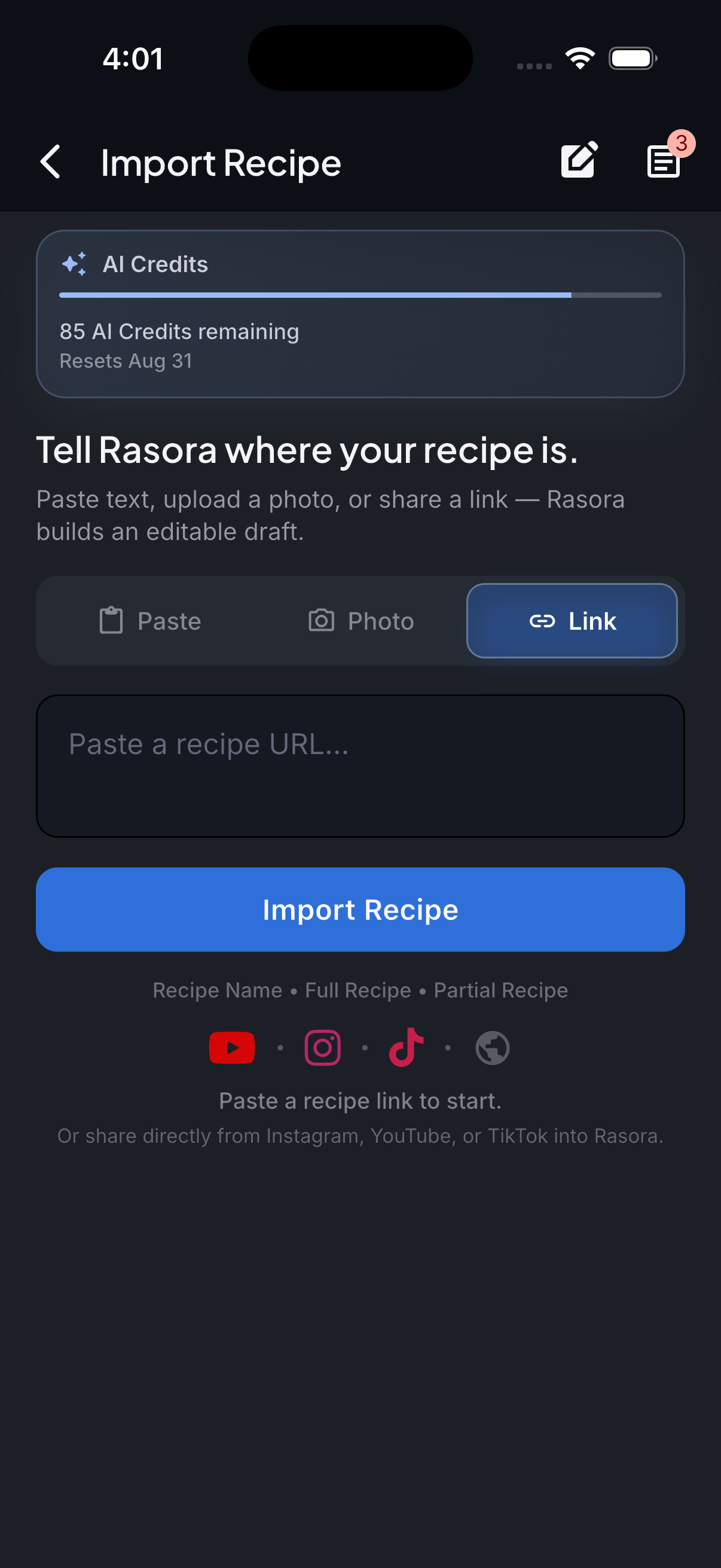
AI Import
Import with AI
Turn links, photos, and notes into structured recipes in seconds.
How it works
Rasora reads the recipe content on the page itself — most recipe sites also include structured recipe data behind the scenes, which Rasora uses when it's there for extra accuracy.
Copy the recipe page link
From any recipe blog or food website, copy the page's link.
Paste it into Rasora's AI Import
Open Rasora, go to AI Import, and paste the link.
Rasora reads the actual recipe
Ingredients and steps are read directly from the page — not the surrounding blog post.
Review and save
Check the extracted recipe, fix anything that looks off, and save it to your cookbook.

Try it yourself
Get Rasora and import your first Recipe Website recipe.
Free to start — AI import, a real cookbook, and nutrition you can trust.
Common questions
Does this work on any recipe website?
It works on the large majority of recipe blogs and food websites, especially ones with a real recipe card, not just a paragraph of instructions buried in a longer post.
Will it import the blogger's whole life story along with the recipe?
No — Rasora reads the actual recipe content, not the surrounding narrative text on the page.
What if the site blocks automated access?
A small number of sites block this kind of request. If that happens, copying the recipe text directly into Rasora's Paste tab works as a fallback.


