
Import from Instagram
Turn an Instagram reel or post into a real recipe.
Share the reel to Rasora, or paste the link — Rasora reads the full caption, including the part Instagram hides behind "more."
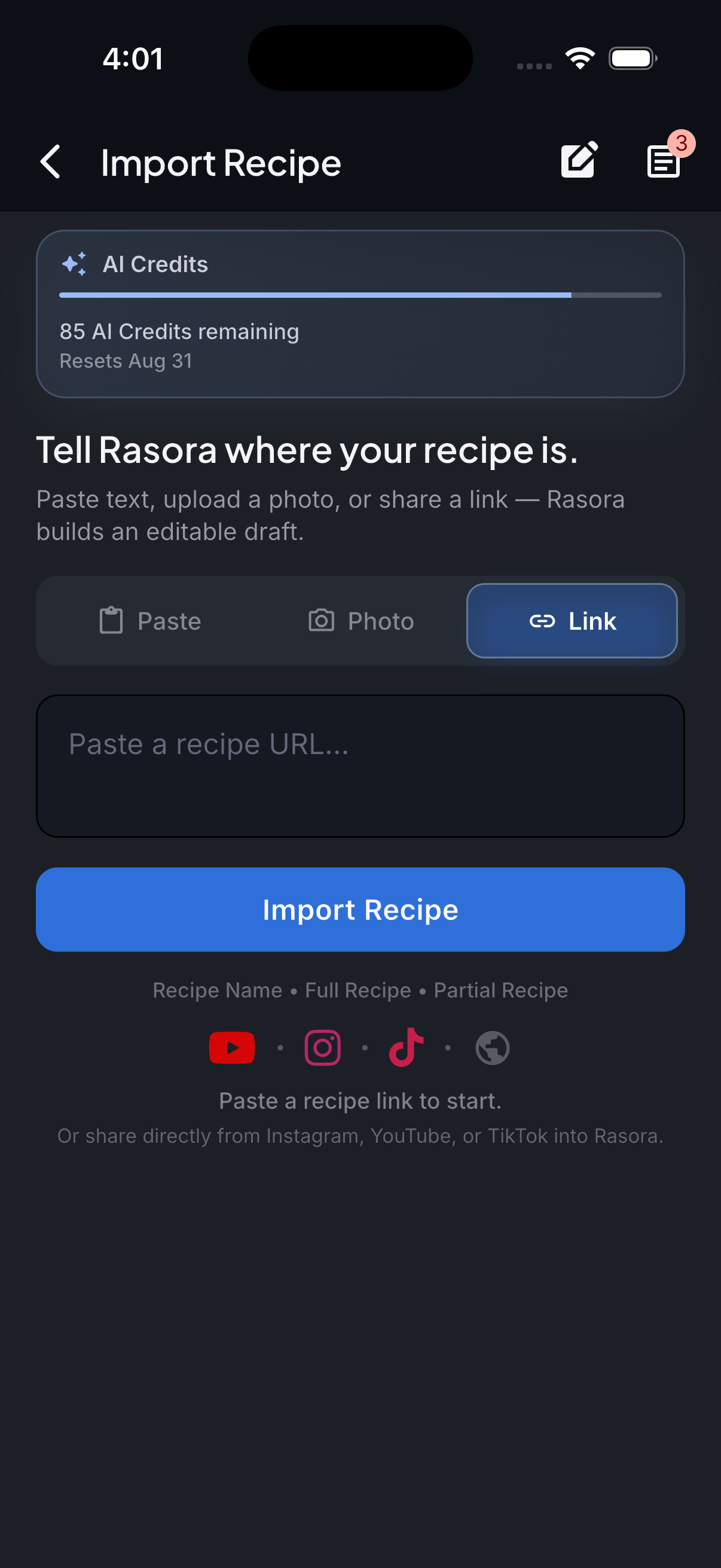
AI Import
Import with AI
Turn links, photos, and notes into structured recipes in seconds.
How it works
Instagram only shows a short preview of a caption before you tap "more" — Rasora reads the full caption text, not just that preview, to find ingredients and steps.
Share the reel or post to Rasora
From Instagram's share sheet, choose Rasora directly, or copy the link.
Open AI Import in Rasora
If you copied the link instead, paste it into Rasora's AI Import screen.
Rasora reads the full caption
The complete caption is scanned for ingredients and steps, not just the truncated preview Instagram shows by default.
Review and save
Check the extracted recipe, fix anything that looks off, and save it to your cookbook.
Try it yourself
Get Rasora and import your first Instagram recipe.
Free to start — AI import, a real cookbook, and nutrition you can trust.
Common questions
Does this work for both reels and regular posts?
Yes — both share a link and a caption, and Rasora reads either the same way.
What if the recipe is only in the comments, not the caption?
Rasora reads the post's caption, not comments. If the recipe is genuinely only in a comment, paste that text directly into Rasora's AI Import instead.
Do I need to follow the account to import from it?
No — importing only needs the post's link, the same as viewing it in a browser.

