
Import from Pinterest
Turn a saved Pinterest pin into a real recipe.
Most recipe pins link back to the original blog post — paste the pin link into Rasora and it follows through to get the real recipe.
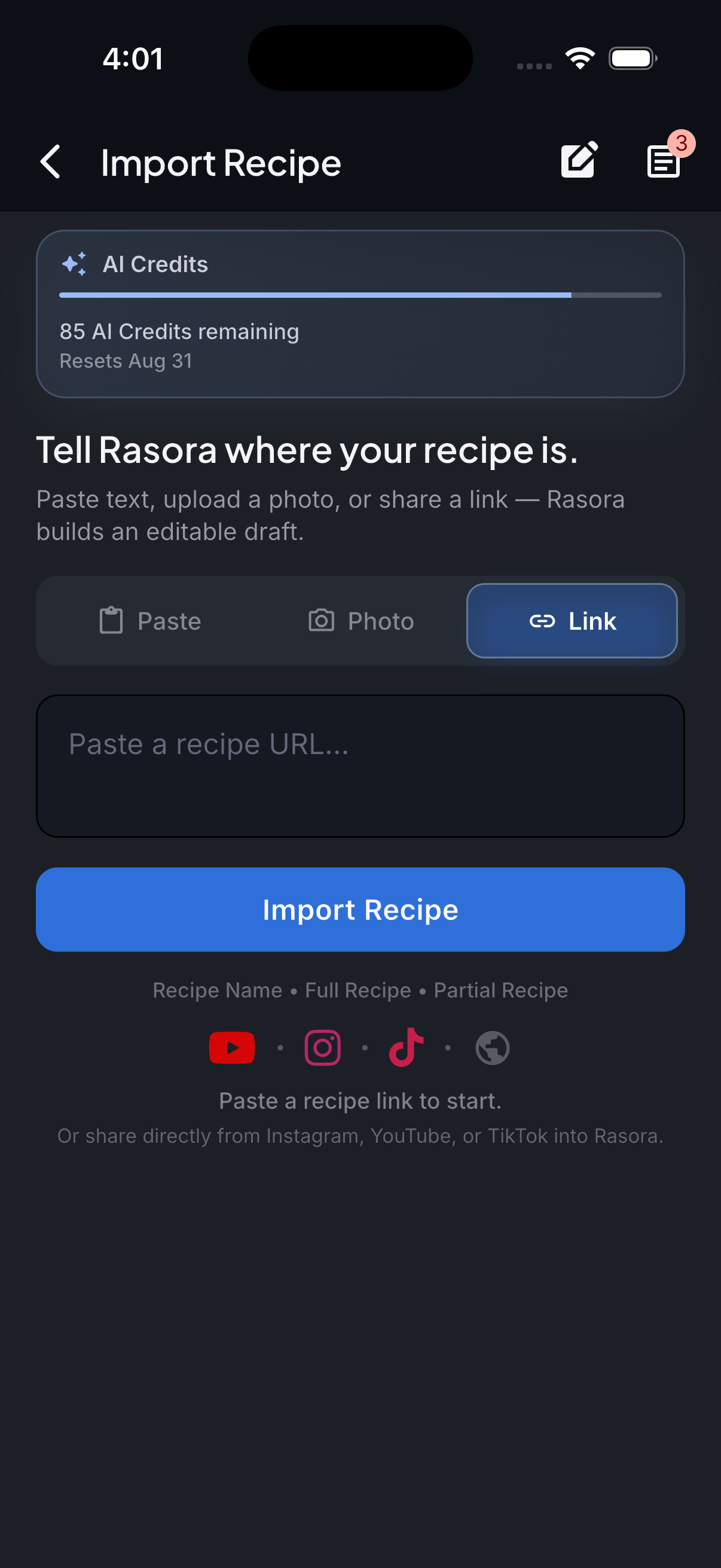
AI Import
Import with AI
Turn links, photos, and notes into structured recipes in seconds.
How it works
Most recipe pins on Pinterest link out to the original recipe blog or website. Rasora follows that link to read the actual recipe page, the same way it reads any recipe website link.
Copy the pin link
From the Pinterest app or website, copy the link to the pin.
Paste it into Rasora's AI Import
Open Rasora, go to AI Import, and paste the link.
Rasora follows through to the recipe
If the pin links to a recipe blog or website, Rasora reads that page directly for ingredients and steps.
Review and save
Check the extracted recipe, adjust anything that needs it, and save it to your cookbook.

Try it yourself
Get Rasora and import your first Pinterest recipe.
Free to start — AI import, a real cookbook, and nutrition you can trust.
Common questions
What if the pin doesn't link to an outside website?
Some Pinterest pins (like native Idea Pins) don't link out to a separate recipe page. In that case, Rasora reads whatever text is directly on the pin itself, the same way it handles a social caption.
Do I need a Pinterest account to import a pin?
No — you only need the pin's link, which is public even without being logged into Pinterest.
Will the imported recipe match the original blog exactly?
Rasora extracts the real ingredients, quantities, and steps from the source page — it doesn't add or guess at anything that isn't actually there.

